Focused voice workflow

Use voxcpm text to speech with a focused workflow

VoxCPM text to speech is easiest to evaluate when the task stays narrow: prepare a short script, describe the intended delivery, and review the result against the original wording. This page separates the dedicated entry point from the general one so you can choose a sensible starting path.

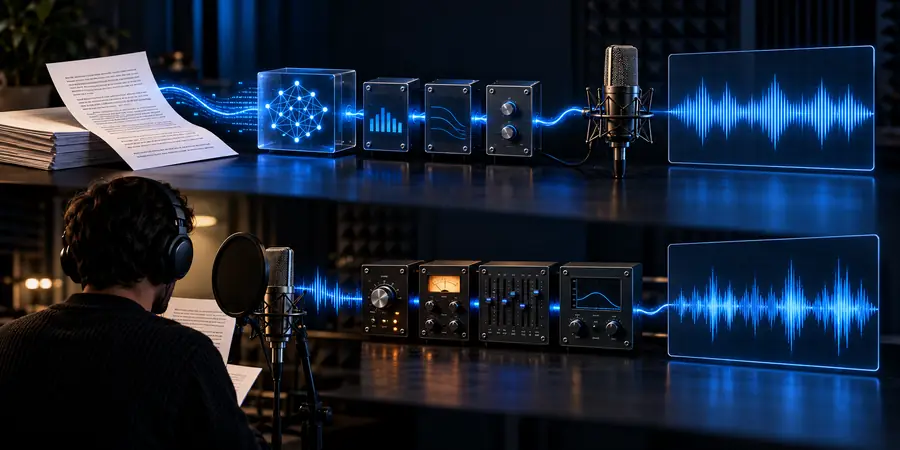
Prompt goes to the product
Abstract voice waveform visual for the VoxCPM text to speech workflow

This entry point vs the general one

The dedicated route is useful when the goal is spoken output rather than a broad tour of VoxCPM. Use the comparison below as a planning aid before writing a longer prompt.

Text to speech focus

Text to speech workflow reference
General visual workflow reference
General workflow

The 3 things only it does

A useful text to speech brief has three distinct layers: words, delivery, and review. Keeping them separate makes VoxCPM easier to assess and keeps the prompt from becoming vague.

Script preparation scene for VoxCPM voice generation Script

01

1. It starts from the words

VoxCPM works best as a text to speech starting point when the script is visible and intentional. Give the model the exact wording, including pauses or sentence breaks that matter to the listener. A short script also makes it easier to compare one attempt with another.

  • Write the final wording first
  • Mark names, numbers, and pauses
  • Keep one purpose per sample
Voice direction and delivery controls visual Direction

02

2. It carries a delivery brief

Text to speech is more than transferring words into audio. Add a compact direction for tone, pace, emphasis, and audience. VoxCPM prompts become easier to judge when the delivery request is concrete instead of relying on broad labels such as perfect or natural.

  • Name the intended listener
  • Choose a pace and emotional register
  • Describe emphasis sparingly
Reviewing generated speech against a written script Review

03

3. It invites a direct review

The final step is comparison. Read the source text beside the generated result and check pronunciation, pacing, emphasis, and whether the voice suits the use case. This review loop keeps VoxCPM text to speech grounded in the actual script rather than in a vague first impression.

  • Check every proper noun
  • Listen for uneven pauses
  • Revise one variable at a time

How to start

Start small, then add detail only where the first result needs correction. This three-step flow keeps a VoxCPM text to speech test readable and repeatable.

Prepare a short script

Use a paragraph with a clear purpose. Keep names, numbers, and punctuation exactly as they should be spoken.

Add the delivery brief

Describe the audience, tone, pacing, and emphasis in one or two practical sentences rather than stacking abstract adjectives.

Review and refine

Compare the result with the script, identify the single largest issue, and revise that part before trying another version.

Choose a first use case

The same text to speech method can support different starting tasks. Pick the card closest to your goal, then follow its linked route for the next layer of context.

Product teams

Turn a short feature explanation into a spoken draft for an internal review.

A repeatable sample that makes wording and delivery easier to discuss.

free voxcpm online

Developers

Test a compact script while deciding how VoxCPM belongs in a wider implementation workflow.

A focused voice check before you spend time on surrounding setup.

voxcpm github

Creative teams

Try alternate readings for narration, explainers, or short-form audio concepts.

A clearer brief for comparing tone, rhythm, and audience fit.

voxcpm comfyui

Researchers

Inspect how a model-oriented workflow handles a controlled text to speech prompt.

A smaller, more comparable experiment with fewer changing variables.

voxcpm huggingface

Limits

These figures describe the surrounding VoxCPM site plan, not guaranteed generation performance. They provide orientation while you decide how much context to bring into a test.

Languages listed for the VoxCPM site
6 locales
Related VoxCPM pages in the current site plan
10 routes
Primary product path used by the site CTA
1 handoff
scroll
  1. Bright voice concept example Welcome 1
    prompt Read this welcome message in a clear, bright voice with friendly energy and a steady pace: Welcome to our studio.
    Bright voice Short welcome · clean delivery
  2. Cinematic voice concept example Narration 2
    prompt Deliver this scene-setting line in a restrained cinematic voice, with a deliberate pause after the first sentence: The lights came on.
    Cinematic voice Narration · measured pause
  3. Warm documentary voice concept example Documentary 3
    prompt Read this short fact in a warm documentary style, keeping the numbers precise and the emphasis subtle: Three routes meet here.
    Documentary voice Factual read · precise wording

Adapt one variable at a time: preserve the script, then change pace, tone, or emphasis so each VoxCPM result teaches you something useful.

Start with one script and one clear direction

A focused text to speech test gives you a better baseline than a long, overloaded brief. Send a concise script with a practical delivery note, then use the result to decide what VoxCPM should handle next.

  • Keep the first script short
  • Describe the listener and delivery
  • Review wording before adding complexity

Its own FAQ

These answers address the focused search intent behind voxcpm text to speech and keep the first experiment practical.

It refers to using VoxCPM to turn written text into spoken output for a focused voice task. Common starting points include narration drafts, product explanations, welcome messages, and controlled model experiments.

Start with the exact script, then add the intended audience, tone, pacing, and any important pronunciation or emphasis notes. Keep the direction concrete and change one variable at a time when you compare results.

You can structure separate prompts for styles such as bright, cinematic, warm, or documentary delivery. Treat those labels as creative directions to test, and judge the result against the script and the audience rather than assuming a style label guarantees a specific voice.

Listen for accurate wording, names, numbers, pauses, pacing, and emphasis. If something is wrong, identify the largest issue first and revise the script or delivery brief before changing several instructions at once.

Start creating
Start creating